PICU NICU E-LEARNING
Recent & Upcoming E-Learning programs

Recent & Upcoming E-Learning programs
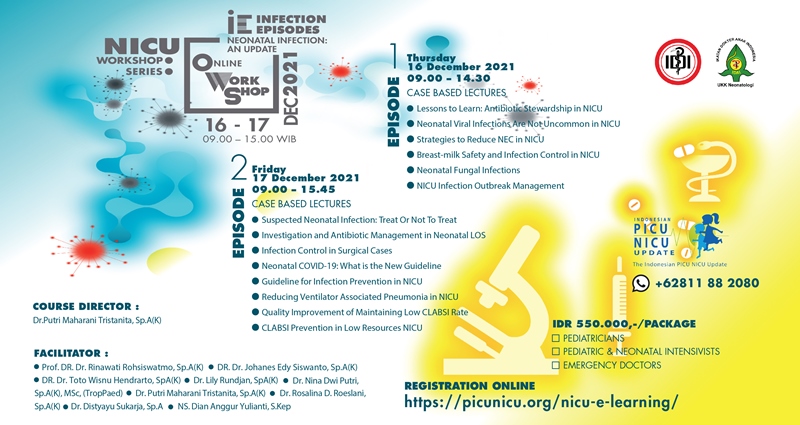
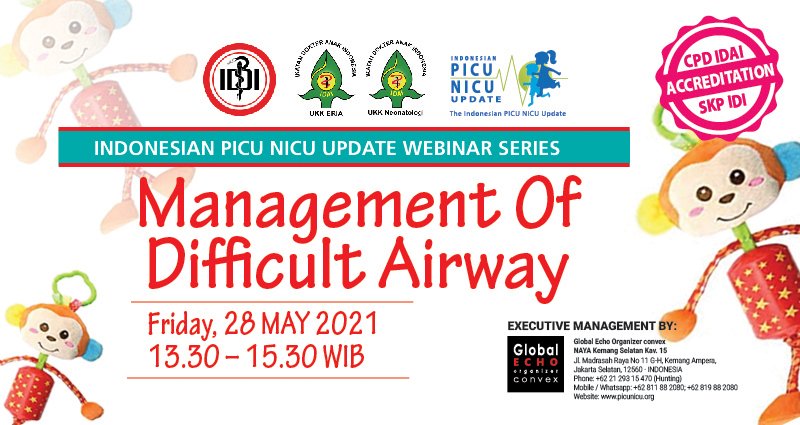
Click image below to see course details
I am a first-timer participant, what should I do?
As a first timer, you have to make an Account under your personal name & email (as a Member), which cannot be represented by others. Your personal account and data are used to access the Webinar and related to Certification procurement.
How to create an Account?
If you never created an account before, you have to SIGN-UP first and make an account (as a Member) under your name by submitting your full name, email address and create your own password. You will receive the email notification that you have made an account.
What if I forgot my new password?
You may click “lost password?” and you will get email notification with a link to reset and create your (new) password again. Please create simple password you can remember at any times. You may contact our secretariat’s hotlines if necessary.
How to register the Webinar?
If you created an account before and want to re-access your Account, simply LOG-IN with your email and submit your own set password. Click E-Learning and choose your preferred webinar. Click “Proceed to Check Out”; complete your Personal Data; then click “Proceed Transaction” to finalize your registration.
Can I make transaction for more than one webinar?
Yes, you can make transaction on many kind of webinar(s) at the same time, include future webinars due to reserve your seats. Your transactions will be recorded on your account (“MY ACCOUNT”) dashboard for further view. The payment should be lump sum.
Can I make more than one transaction for the same webinar (for my friend)?
No, you cannot make more than one webinar transaction on behalf of your friend. “One participant-On-One webinar” is applied due to personal access to the mentioned Webinar and personal certification procurement. The email address is a nominated email of the mentioned participant that cannot be represented by others.
Can I join advance webinar before I joined the basic?
Yes. However, these webinar series is a gradual module, so it is strongly suggested that you enroll the basic before you took the advance for the similar webinar topic (e.g.: Neonatal Nuritional Update: Advance should enroll/take Neonatal Nuritional Update: Basic first). We also suggest you to register both at one time.
Where should I transfer the webinar payment?
Once you finalized your registration of webinar(s), you will get email notification to inform you the bank account and make your transfer further.
What if the payment made by my company partner/sponsor?
You can forward your invoice by email to your PIC yourself, or you may ask your PIC of company partner/sponsor to contact Secretariat’s whatsapp to get the forwarded invoice email. The invoice is usually needed to process their internal payment.
After I paid the webinar, what should I do?
You may LOGIN to re-access your account and click “Payment Confirmation” and upload the payment proof (JPG; PNG; PDF) maximum 2 MB. If your file is too big, either way you can send your payment proof through Secretariat’s whatsapp.
How long it takes to complete my webinar transaction?
It takes maximum 3 working days to allow the Secretariat making your webinar complete, thus you will get the email notification when your payment confirmed, or you may see the changed status on MY ACCOUNT.
What is the last due of payment?
The last due of payment is 3 days before the mentioned webinar started. Unpaid webinar will cause your name to be deleted automatically by system that you cannot access the webinar when it’s started.
How to join the Webinar when it’s started?
The waiting room will be opened 15 minutes before it’s scheduled.
Are these webinars accredited?
This webinar provides 2 SKP of CPD Accreditation by Indonesian Pediatric Society for Pediatricians and Indonesian Medical Association (IDI) Accreditation for General Practitioners. Some of the Webinars are also accredited by National Indonesian Association of Nurses (PPNI)
How do I get my accredited Certificate?
After the webinar ended you must click “Proceed” to start the Evaluation & Certification, or access the Evaluation & Certification on the mentioned Course Content. You may save your E-Certificate on your personal PC for further printing/filing, or you may see your history (record) on “MY COURSE” page.
What if my name wrong on the E-Certificate?
We strongly suggest that you write your name very careful in advanced when you complete your Personal Data; check the spelling and capital letter of your name appropriately on the form since it’s the default for your name printed on the E-Certificate.
Frequent check-up for the update on your Account Details on “MY ACCOUNT” and before certification is very important. Please contact Secretariat when necessary.
Note: Upon international standard, the title of your profession is not recommended to be written.
Where can I get the materials of the Webinar?
We will upload/share proprietary webinar’s material you just learned on Material section on “MY COURSE” dashboard at least one hour after the Webinar ended. Speaker/facilitator PPT will only be uploaded with mentioned speaker’s consent.
Click play button to play the video
Minimum recommended configuration & internet connection
General requirements
Supported operating systems (*)
Supported browsers
Bandwidth (for Attendees)